Build a Home Office That Works for You
A home office doesn’t need to look like a corporate workspace to help you stay focused and organized. The right home office essentials can make everyday work more comfortable, reduce visual clutter, and make it easier to settle into a productive routine.
Whether you work from home full-time, have a hybrid schedule, study online, or simply need a dedicated place for personal projects, the goal is to create a workspace that supports how you actually work.
You don’t need to buy everything at once. Start with the essentials that solve your biggest workspace problems, then improve the setup gradually.
Affiliate Disclosure: This article contains affiliate links. If you make a purchase through one of these links, DaSora may earn a commission at no additional cost to you.
Quick Take
If you’re building a home office from scratch, prioritize these first:
✓ Choose a desk with enough usable work surface
✓ Use a supportive, adjustable chair
✓ Raise your screen to a comfortable viewing position
✓ Keep frequently used items within easy reach
✓ Manage cables before they become clutter
How to Improve Your Home Office on a $300 Budget
You don’t need to replace your entire workspace to make it more comfortable and functional. If you already own a suitable desk, chair, and computer, focus on smaller upgrades that improve your everyday routine.
| Workspace Upgrade | Sample Budget |
|---|---|
| Adjustable laptop stand | $45 |
| External keyboard and mouse | $55 |
| LED desk lamp | $40 |
| Cable management accessories | $20 |
| Desk organizer | $25 |
| Supportive footrest | $35 |
| Headphones | $80 |
| Total | $300 |
These are illustrative budget allocations, not verified retail prices. The budget excludes a desk, chair, computer, and other major equipment.
Money-saving tip: Identify your biggest workspace problem before shopping. You may only need one or two improvements rather than every accessory on this list.
Home Office Measurements and Ergonomics Checklist
Before purchasing office furniture or accessories, check these important details:
- Desk height: Choose a height that allows your shoulders to relax and your elbows to remain comfortably near your sides while typing.
- Monitor position: Position the screen approximately an arm’s length away, with the top at or slightly below eye level.
- Chair support: Adjust your chair to support your lower back and keep your feet flat on the floor or on a footrest.
- Keyboard and mouse: Keep them close enough to avoid reaching, with your wrists in a comfortable, neutral position.
- Desk space: Measure the available width and depth before buying a monitor, laptop stand, or desk organizer.
- Lighting: Position lamps to reduce screen glare and provide sufficient light for reading and writing.
- Cable management: Route cords away from walkways and avoid overloading electrical outlets.
Practical tip: Adjust your existing workspace before purchasing new equipment. Small changes to monitor height, chair position, and lighting may improve comfort without additional spending.
Table of Contents
1. A Comfortable Desk
Your desk is the foundation of the workspace. It should provide enough room for the equipment and materials you use regularly without forcing everything into a cramped area.
⭐ Our Pick: FEZIBO 48 × 24-Inch Electric Standing Desk
A height-adjustable desk gives you more flexibility than a fixed workspace by making it easy to alternate between sitting and standing throughout the day. This 48 × 24-inch FEZIBO desk provides practical workspace for a laptop, monitor, and everyday office essentials without requiring an oversized home office.
A larger desk isn’t automatically better. Consider your available space, computer setup, writing needs, and whether you need room for additional monitors or paperwork.
Make It Work
Before choosing a desk, measure both the available room and the equipment you plan to place on it.
Leave some open work surface rather than filling every inch with accessories.
DaSora Tip
Choose your desk around the work you actually do, not around how an office looks in a photograph.
2. A Supportive Office Chair
If you spend significant time at your desk, your chair deserves careful consideration.
⭐ Our Pick: TRALT Ergonomic Office Chair with Adjustable Lumbar Support
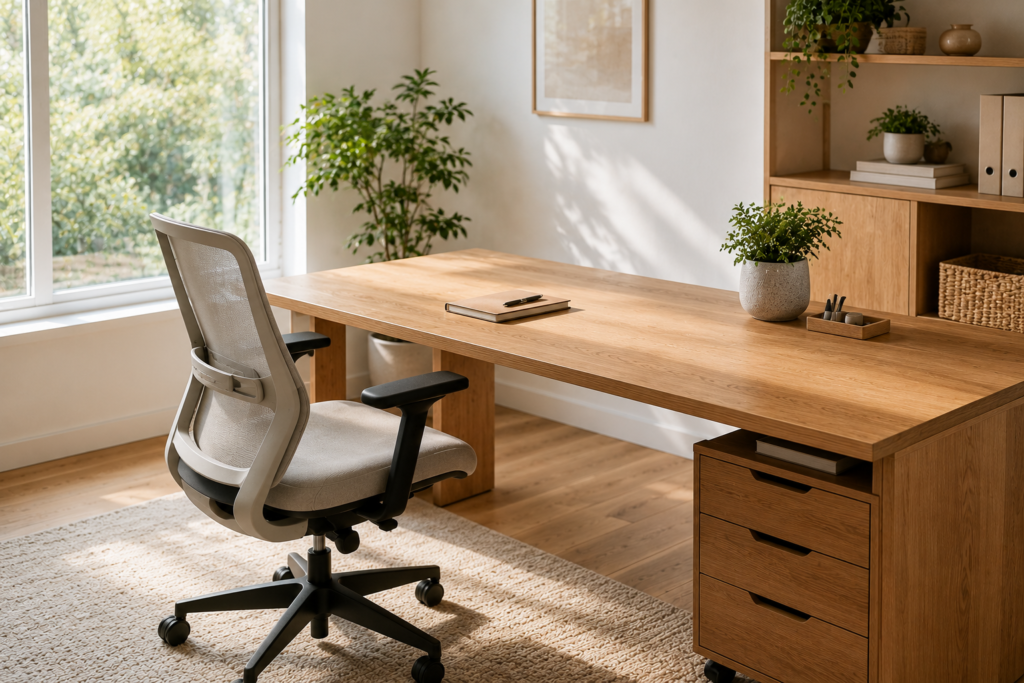
A supportive office chair can make a noticeable difference when you spend several hours working at a desk. This TRALT ergonomic chair combines a breathable mesh design with adjustable lumbar support, armrests, and a high-back profile, giving you more flexibility to tailor the chair to your workspace and sitting preferences.
Look for a chair that allows you to adjust your sitting position and comfortably reach your keyboard and work surface. Features such as adjustable seat height, armrests, back support, and seat depth can help you tailor the chair to your workspace. For additional guidance on setting up a computer workstation, see OSHA’s Computer Workstations guidance.
Make It Work
Adjust the chair together with the desk rather than treating them as separate purchases. Your desk height, monitor position, keyboard placement, and chair should work together.
DaSora Tip
Comfort matters more than appearance when you’re sitting in the chair for hours at a time.
3. Laptop Stand or Monitor Riser
A laptop stand or monitor riser can free up desk space and help position your primary screen at a more comfortable viewing height.
⭐ Our Pick: Adjustable 360° Rotating Laptop Stand
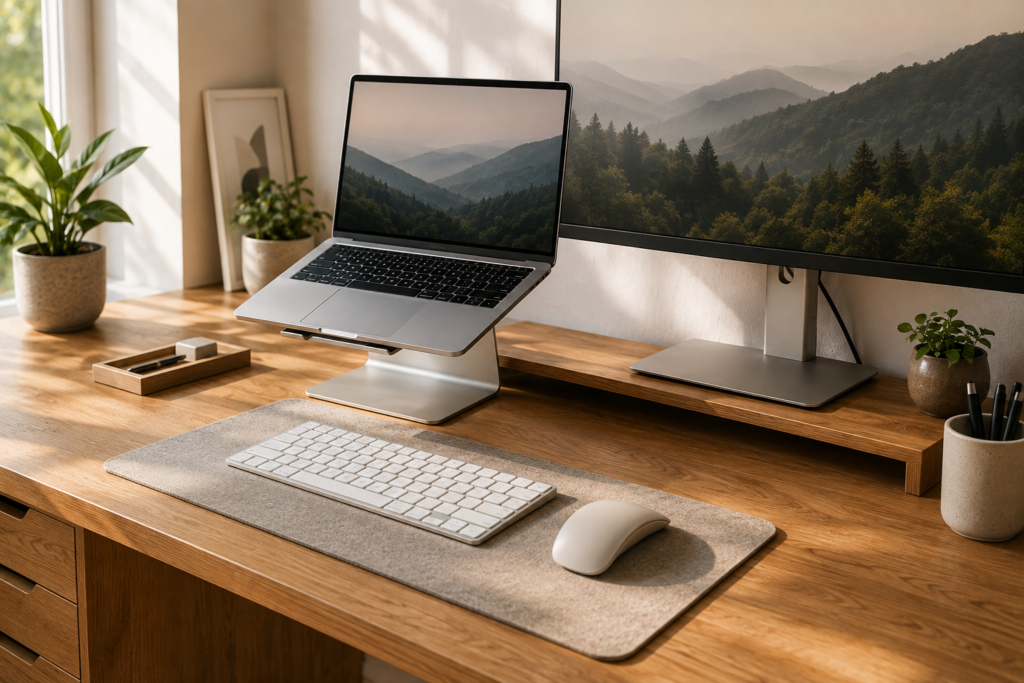
An adjustable laptop stand can raise your screen closer to eye level while freeing up valuable desk space. This model adds height and angle adjustment plus a 360-degree rotating base, making it easy to reposition your laptop for focused work, video calls, or screen sharing while maintaining a cleaner workspace.
It can also make a small workspace feel more organized by creating additional room underneath the screen for notebooks or other small items.
Make It Work
Position your screen directly in front of your primary sitting position rather than repeatedly turning your head toward it.
If you raise a laptop substantially, pair it with an external keyboard and mouse so you’re not reaching upward to type.
DaSora Tip
Small changes in screen placement can make a surprisingly large difference in how organized your workstation feels.
4. External Keyboard and Mouse
An external keyboard and mouse give you more flexibility when arranging a laptop-based workspace. Instead of letting the laptop determine where your hands and screen must be positioned, you can place each component where it works best for you.
⭐ Our Pick: Rechargeable Split Ergonomic Wireless Keyboard & Mouse
A separate keyboard and mouse can make a laptop-based workspace more comfortable and flexible. This wireless set combines a split, curved keyboard with a cushioned wrist rest and ergonomic mouse, while adjustable tilt and a full-size layout make it practical for everyday home-office work.
Wireless options can also help reduce visible desk clutter.
Make It Work
Keep the keyboard and mouse close enough that you don’t have to continually reach forward while working.
Choose equipment based on comfort and functionality rather than adding features you’ll rarely use.
DaSora Tip
The best desk accessories are the ones you stop noticing because they simply work.
5. Adjustable Desk Lamp
Even a bright room can benefit from dedicated task lighting. An adjustable desk lamp allows you to direct light toward reading material, notebooks, or other work without relying entirely on overhead lighting.
⭐ Our Pick: LED Desk Lamp with USB Ports & Touch Control
Good task lighting can make a home workspace more comfortable for reading, writing, and focused computer work. This adjustable LED desk lamp offers multiple lighting modes and touch controls, while the built-in USB charging port adds a convenient way to keep a phone or other small device powered at your desk.
It can also make your office more comfortable during early mornings, cloudy afternoons, or evening work sessions.
Make It Work
Choose a lamp that can be repositioned without occupying too much valuable desk surface.
Place it where it won’t create distracting reflections on your monitor.
DaSora Tip
Use natural daylight when it’s available, then supplement it with focused task lighting when needed.
6. Cable Management
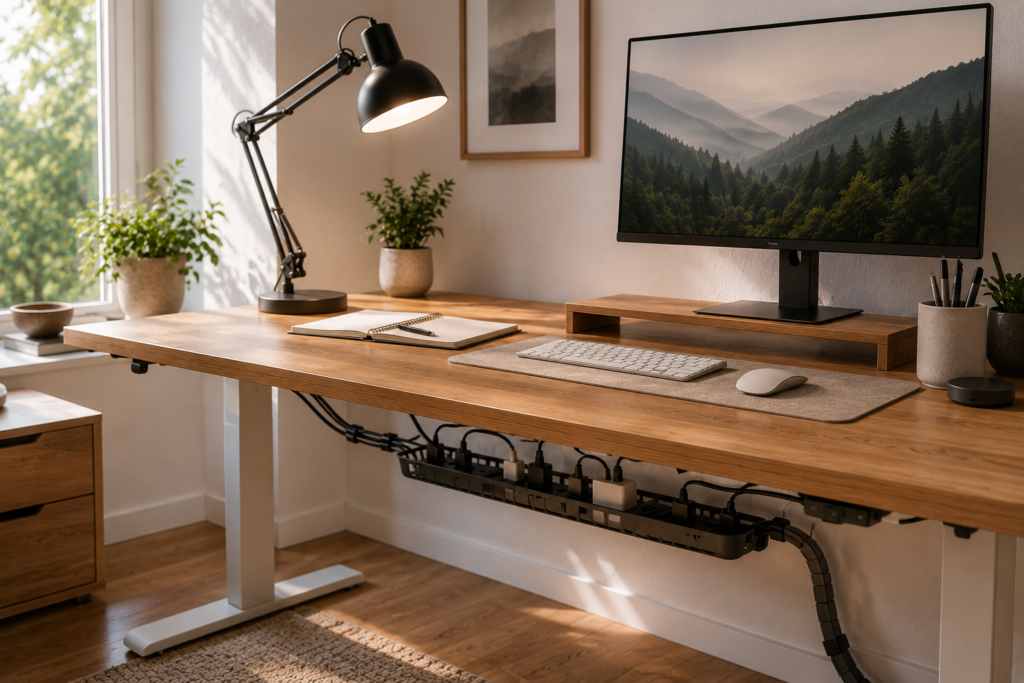
A workspace can look cluttered surprisingly quickly when charging cables, monitor cords, power adapters, and extension cords are scattered across the desk and floor.
Simple cable clips, sleeves, trays, or reusable ties can help group cords together and route them away from the main work surface.
Make It Work
Unplug unnecessary cables first. Then identify which cords need to remain accessible and which can be routed underneath or behind the desk.
Labeling similar cables can also make future changes easier.
DaSora Tip
Organize the cables you actually need before buying products to hide cables you don’t use.
7. Charging Station
Phones, earbuds, watches, tablets, and other devices can easily create a collection of chargers across the desk.
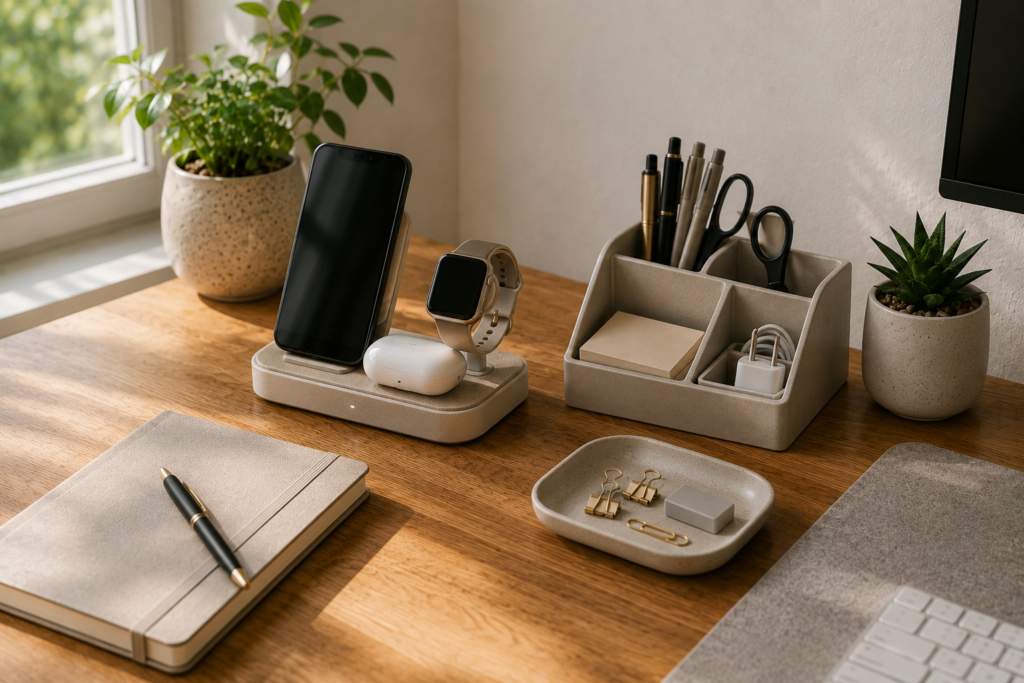
A dedicated charging area gives these devices one predictable place to go and helps keep charging cables from spreading throughout the workspace.
Make It Work
Place the charging station within reach but outside your primary work surface.
If your phone tends to distract you, positioning the charging area slightly away from your keyboard can be useful.
DaSora Tip
Give technology a home instead of letting every device create its own little zone on your desk.
8. Desk Organizer
Pens, sticky notes, scissors, charging adapters, paper clips, and other small supplies can make even a large desk feel messy.
A compact organizer, drawer insert, or small tray can give frequently used supplies defined locations.
Make It Work
Keep only everyday items on the desktop. Supplies you use occasionally can live in a drawer or nearby storage.
Avoid buying an organizer before deciding what actually needs to be organized.
DaSora Tip
Your organizer shouldn’t become another place to collect things you don’t use.
9. Headphones
Headphones can be useful when you share your home with other people, attend virtual meetings, or simply work better with fewer distractions.
⭐ Our Pick: Bose QuietComfort Ultra Headphones (2nd Gen)
Noise-cancelling headphones can make it easier to stay focused when your home office shares space with household activity or other distractions. The Bose QuietComfort Ultra combines over-ear comfort with active noise cancellation, a built-in microphone, and long battery life, making it a premium option for focused work, calls, and everyday listening.
Depending on your routine, you may prefer lightweight earbuds, over-ear headphones, or a headset with a microphone.
Make It Work
Choose the style based on how you’ll actually use it. Meeting-heavy work may require different features from headphones primarily used for music or concentration.
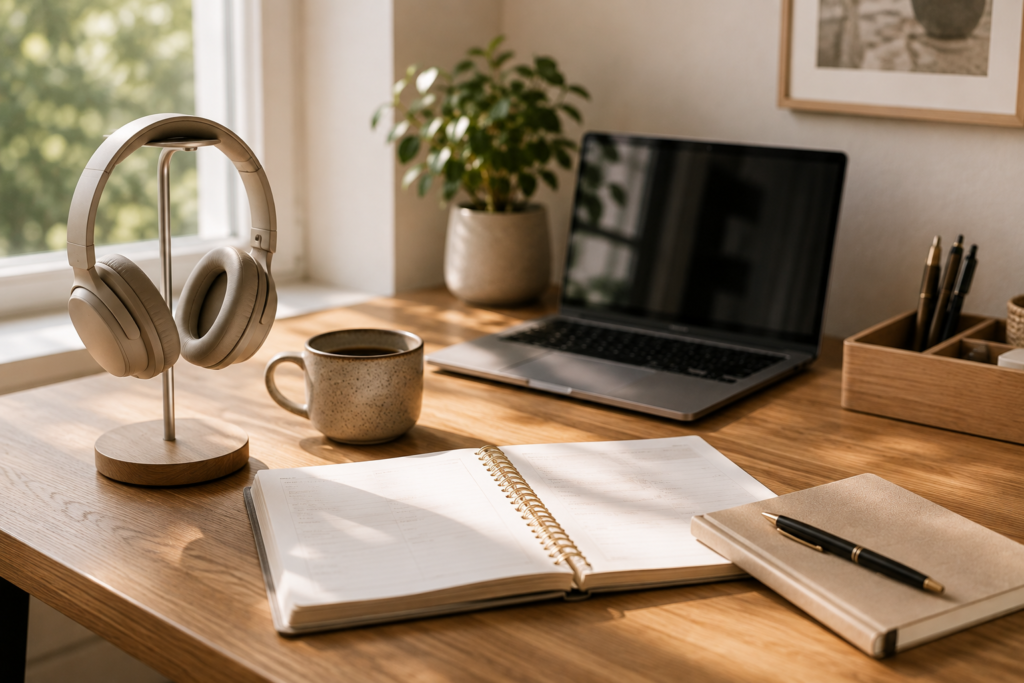
Give them a dedicated storage spot so they aren’t constantly lying across the desk.
DaSora Tip
A quieter workspace doesn’t always require a quieter house. Sometimes it simply requires better control over what you hear.
10. Notebook or Planner
Digital tools are useful, but a simple notebook or planner can still be one of the easiest ways to capture quick thoughts, priorities, meeting notes, and reminders.
Keeping one dedicated notebook nearby can also prevent loose sheets of paper from accumulating around the desk.
Make It Work
Use the notebook for a specific purpose rather than trying to build an elaborate productivity system.
For example, keep today’s three priorities at the top of the page and meeting notes underneath.
DaSora Tip
A simple system you consistently use is more valuable than a complicated productivity system you abandon.
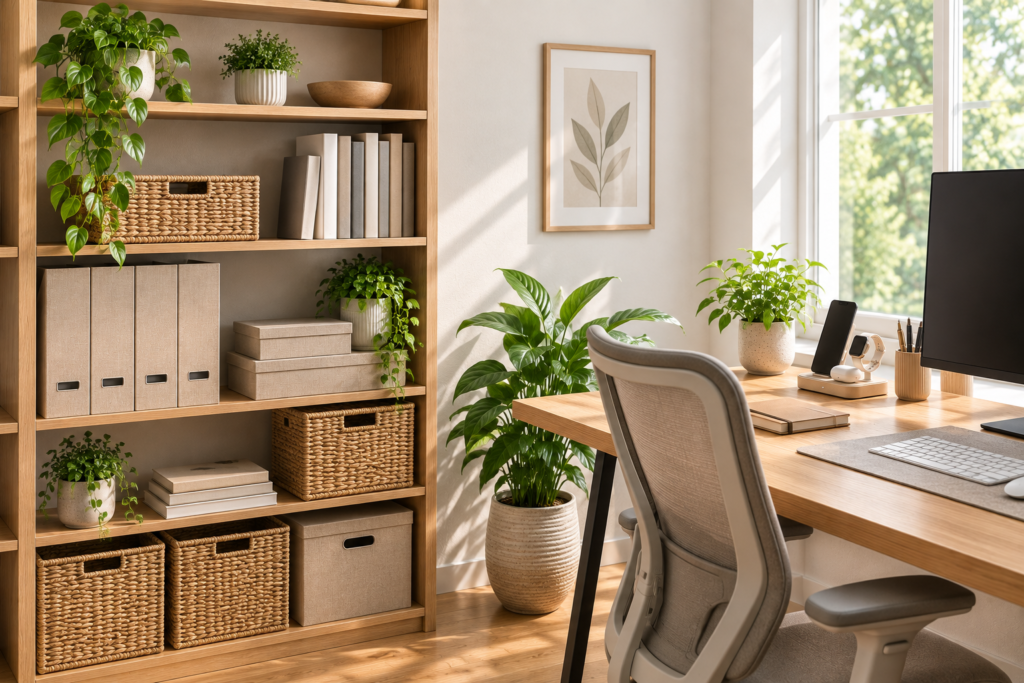
11. Small Storage System
Not everything belongs on the desk.
A compact drawer unit, bookshelf, file box, cabinet, or set of baskets can provide space for documents, supplies, technology accessories, and materials you don’t need every minute.
Closed storage can be especially useful for reducing visual clutter.
Make It Work
Store frequently used items closest to the desk and move occasional-use items farther away.
Group similar supplies together so you know where to return them after use.
DaSora Tip
Storage works best when every container has a purpose rather than simply hiding clutter.
12. A Touch of Greenery
A small plant can soften a technology-heavy workspace and add color without requiring another decorative collection.
Choose something appropriate for the amount of natural light available in your office and the level of maintenance you’re comfortable with.
If caring for plants isn’t your thing, keep the space simple rather than adding décor just because an office is supposed to have it.
Make It Work
Place greenery where it adds visual interest without interfering with your usable desk area or blocking natural light.
One or two thoughtfully placed plants can be enough.
DaSora Tip
Your workspace should feel pleasant to spend time in, not like another room you have to constantly style.
Create a Workspace You Can Maintain
The most useful home office isn’t necessarily the one with the most equipment.
Start with your desk, chair, screen position, lighting, and the tools you use every day. Once those basics work well, look at the problems that remain.
If cables continually become tangled, address cable management. If your phone, earbuds, and watch are always scattered around the desk, create a charging area. If papers accumulate everywhere, add a small storage system.
This approach helps you choose workspace improvements because they solve real problems rather than simply adding more products.
A clean desk also doesn’t have to mean an empty desk. Keep the tools you regularly use accessible and give everything else a predictable place to return to.
Frequently Asked Questions
What are the most important home office essentials?
Start with a suitable desk, supportive chair, comfortable screen position, adequate lighting, and the computer equipment required for your work. Organization and storage accessories can be added according to your specific needs.
How can I organize a small home office?
Use vertical space, keep only frequently used items on the desktop, manage cables, and choose compact storage that fits underneath or beside the desk. A monitor riser can also create usable space underneath your screen.
How can I make my home office look less cluttered?
Start by removing items that don’t need to be on the desk. Route cables away from the work surface, create dedicated locations for small supplies and chargers, and use nearby storage for occasional-use items.
Do I need an expensive home office setup?
No. Prioritize the parts of the workspace you interact with most frequently and improve the setup gradually. A functional workspace is more important than having matching or premium accessories.
What should I keep on my desk?
Keep items you use regularly: your computer equipment, perhaps a notebook, essential writing tools, and any supplies needed for your daily work. Everything else can usually be stored nearby rather than occupying the primary work surface.
Final Thoughts
A productive home office doesn’t come from filling a desk with gadgets. It comes from creating a workspace that makes everyday tasks easier to begin, complete, and organize.
Start with the essentials that affect your daily comfort and workflow, then solve one workspace problem at a time.
The best home office essentials are ultimately the ones that support the way you work while helping your workspace remain comfortable, functional, and easy to maintain.
Related Reading
Looking for practical ways to create a more organized home?
12 Smart Kitchen Organization Ideas That Make Everyday Life Easier
Looking for more ideas for simplifying everyday routines?
10 Healthy Lunch Ideas for Busy Workdays
About DaSora
At DaSora, we believe smarter living starts with thoughtful choices. We share practical ideas, beautiful home inspiration, useful technology, and carefully researched recommendations designed to make everyday life easier.
Our goal isn’t to fill your home with more things. It’s to help you discover ideas and solutions that genuinely improve the way you live.